CLASS Limitless
Academic Management System With 3 Portals — Administrative, Students, and Teachers — Continuously Designed and Improved Since 2022 for Innovasoft
My Role
UI Designer
Progressive UX
I've been the sole designer on this product since day one. I started in 2022 in a primarily UI role — executing screens within the technical decisions of the development team. Over time, the trust I built allowed me to introduce UX judgment progressively: wireflows, design notes, component improvements, and pattern recommendations. This is the project that has taught me the most about operating as a designer inside an organization with no established UX culture.
Why This Case Study Belongs in the Portfolio
Not every project starts with an ideal process. This one demonstrates something no other case study can: continuity, adaptation, and growth within real constraints. Three years on the same product, with the same team, improving iteration by iteration — that's product experience, not project experience.
The Product
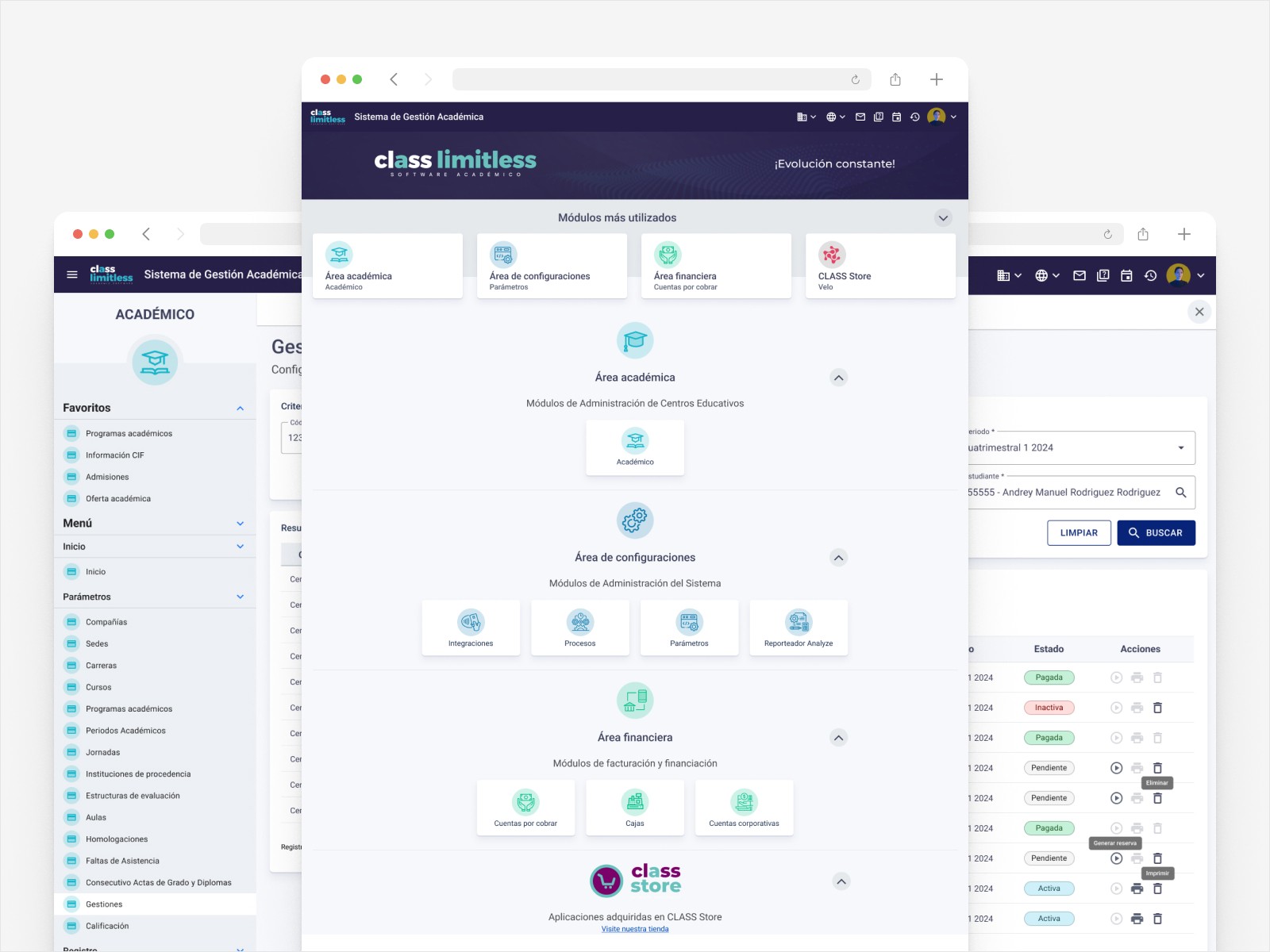
CLASS Limitless is an academic SaaS developed by Innovasoft for the comprehensive management of educational institutions across Latin America. The system covers everything from student enrollment and grades to billing, company configuration, role-based security, and academic process automation.
The Real Context — Honesty as a Strength
No UX Process at the Start — and That's Part of the Case Study
CLASS Limitless launched in 2022 without a defined UX culture. My initial job was to design interfaces based on the technical requirements of the development team—what's known in the industry simply as "screen design." That's not a confession; it's the context. And it was in that context that I learned to work as a designer within this fantastic organization.
This is the project where I mastered Material Design — not as a passive consumer of the framework, but as someone who learned its principles by working alongside the engineers implementing it. That close collaboration with development gave me a technical understanding of the system that designers working exclusively in Figma rarely develop.
Role Evolution — From UI Executor to UX Advocate
Material Design
Pure UI delivery
Wireflows
Design notes
Proactive documentation
Active design
Improvement roadmap
Designed Screens — Curated Selection by Module
Three years of work on CLASS Limitless means hundreds of designed screens. Below are the most representative screens from each module, with the reasoning behind each decision.
Administrative Portal · Academic Management System
Design decision · Administrative Home
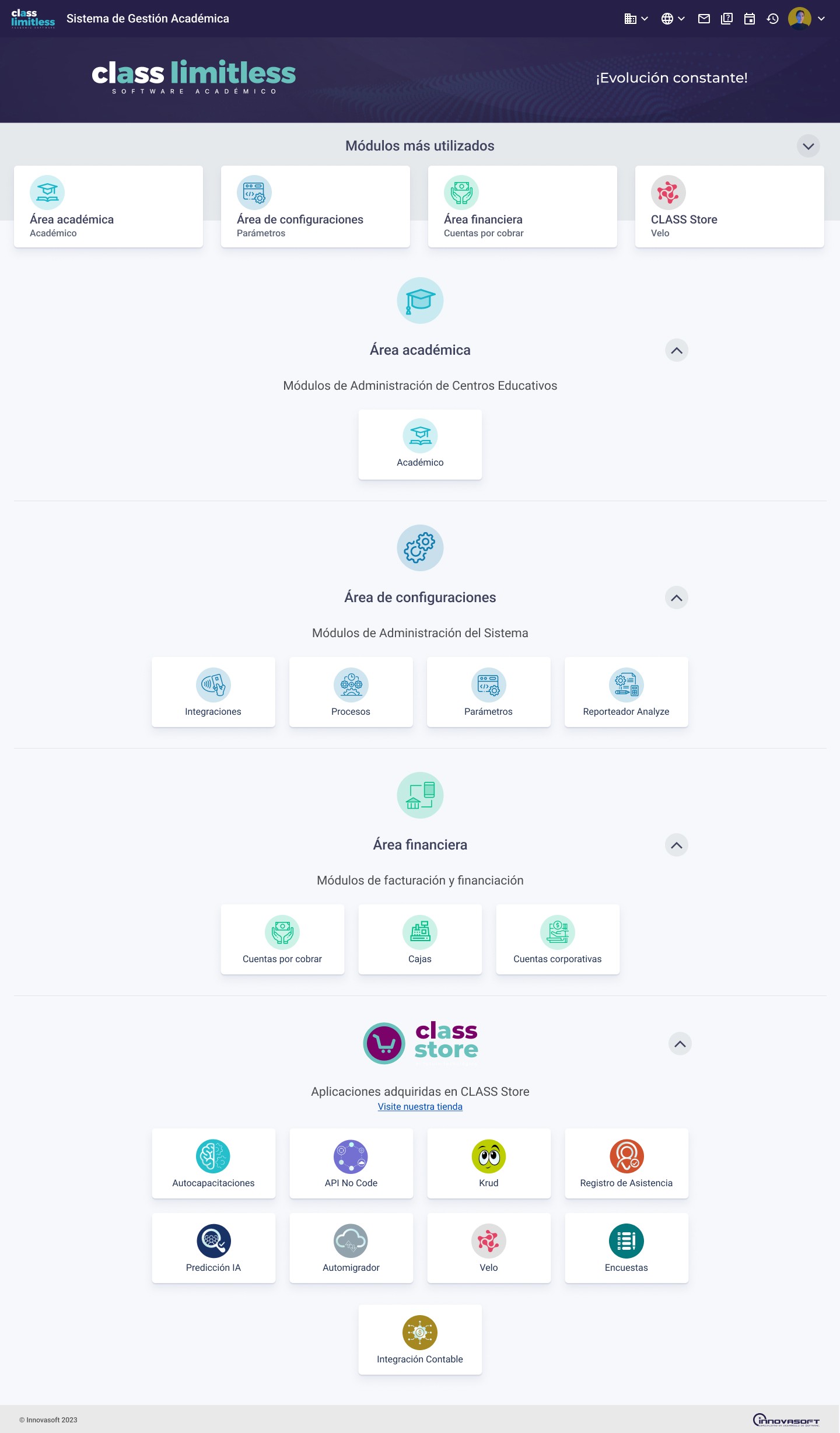
Organizing by work area (Academic, Configuration, Financial, CLASS Store) solves a core SaaS problem: instead of a flat menu with 20+ options, the user navigates by category of work. Favorite modules in the top bar eliminate the need to search for the most-used functions.
Design decision · Grade Date Queries
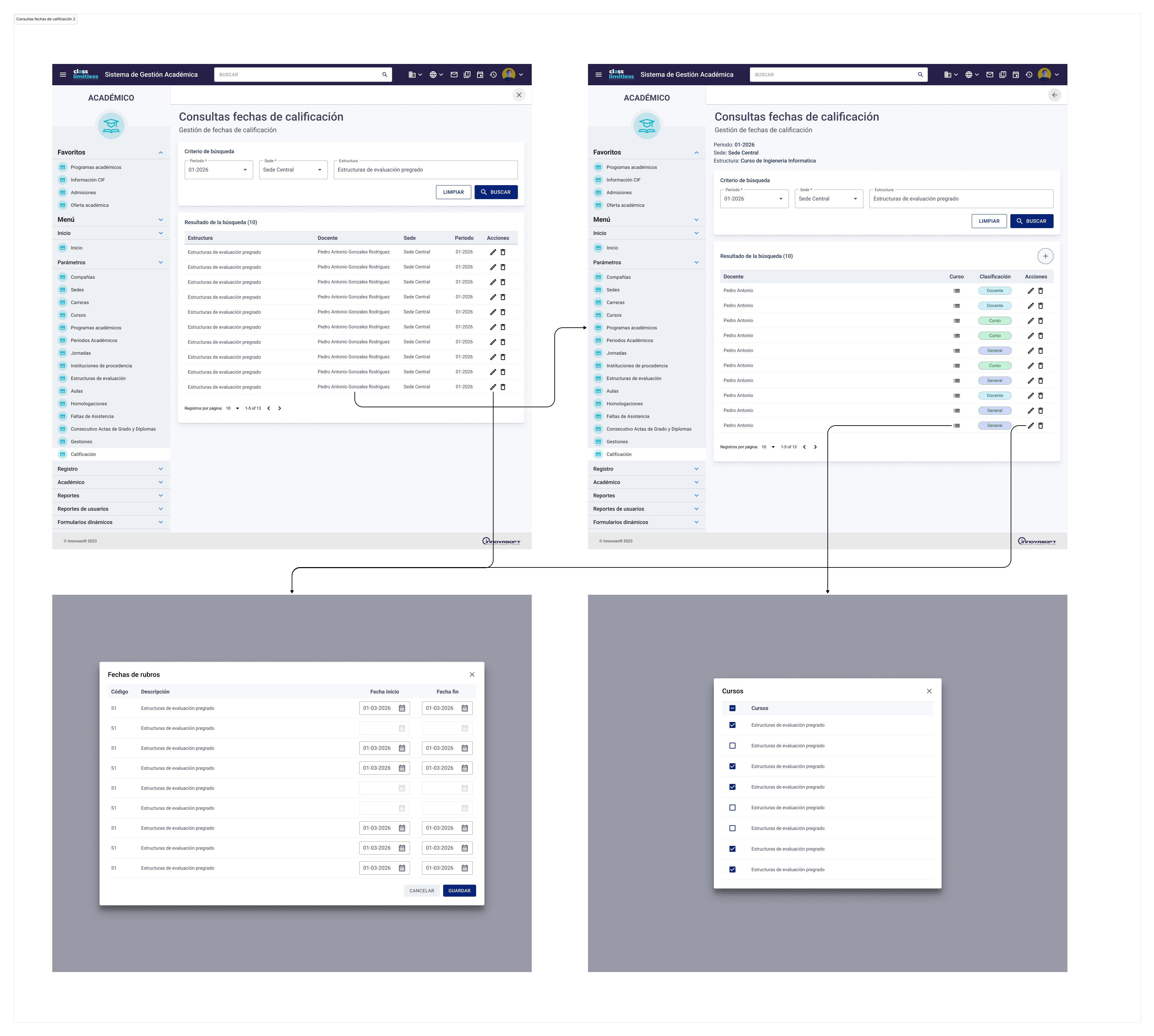
This is the most visually complex screen in the case study — it documents the complete wireflow: main view → two expanded table variants → detail modals (Grade period dates and Course selector). Documenting the full flow in a single image was a deliberate decision so the development team had the complete interaction map before starting implementation.
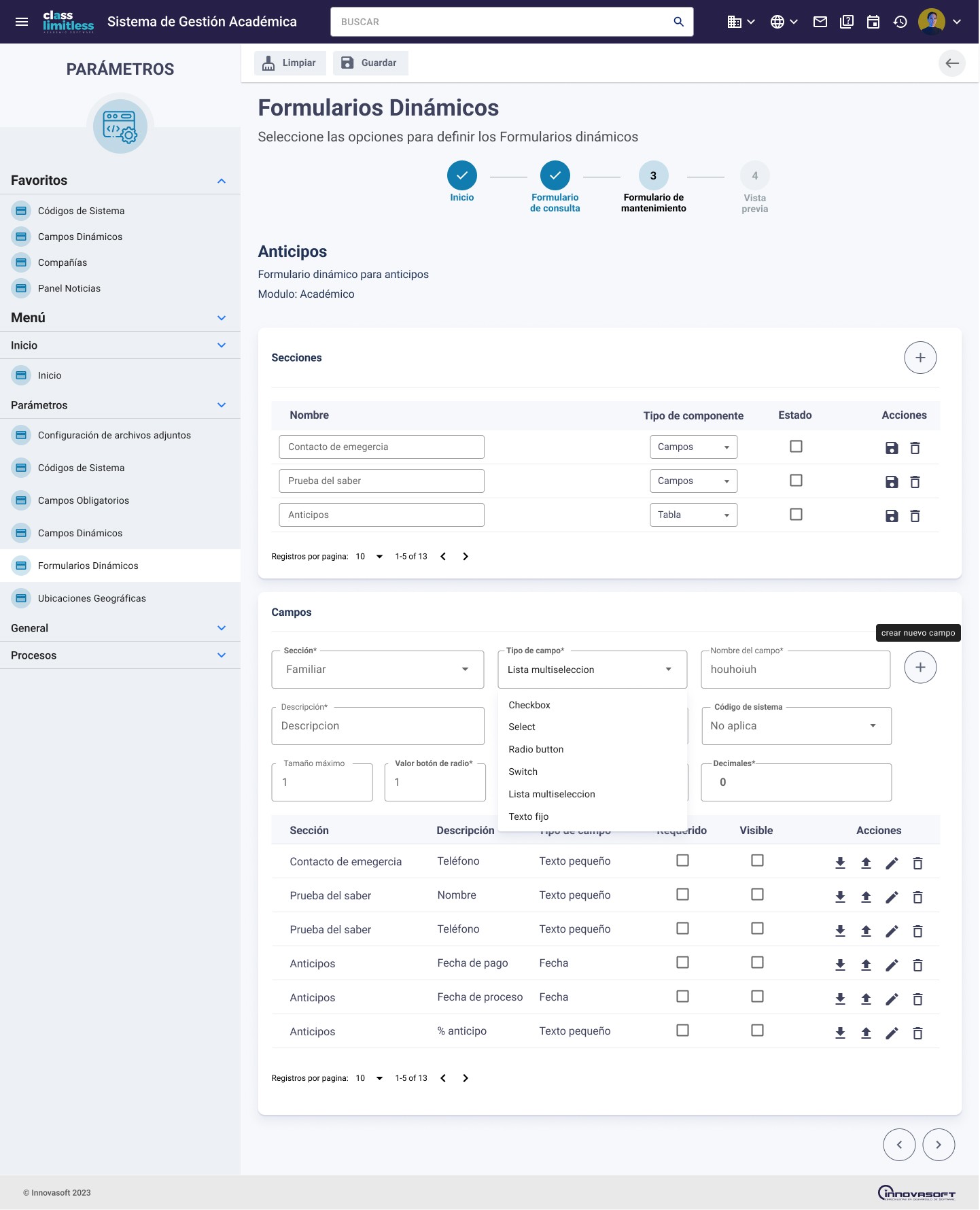
Design decision · Dynamic Forms
The dynamic forms module is one of the most complex in the system: it allows administrators to build custom forms with multiple field types. The stepper at the top makes progress visible across the construction process (Start → Query Form → Maintenance → Preview), eliminating disorientation in multi-step flows.
Student Portal
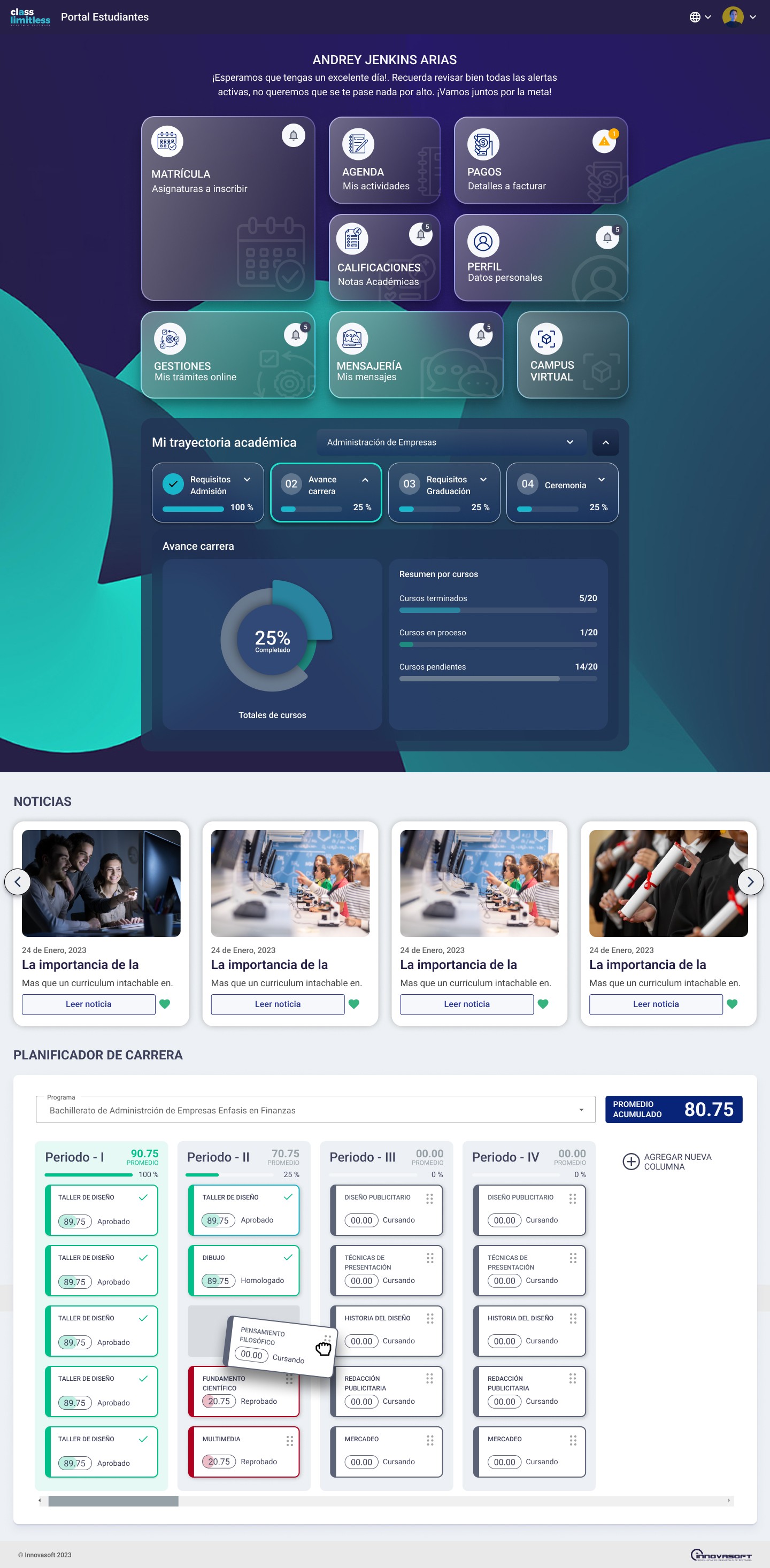
Design decision · Student Portal Home
The student home resolves the three most frequent student needs in a single screen: quick access to their core areas (enrollment, payments, grades), visibility into academic trajectory with a progress percentage, and a career planner with status by period. The visual hierarchy — dark hero with quick access links + white sections with data — is designed so the student finds what they need in under 10 seconds.
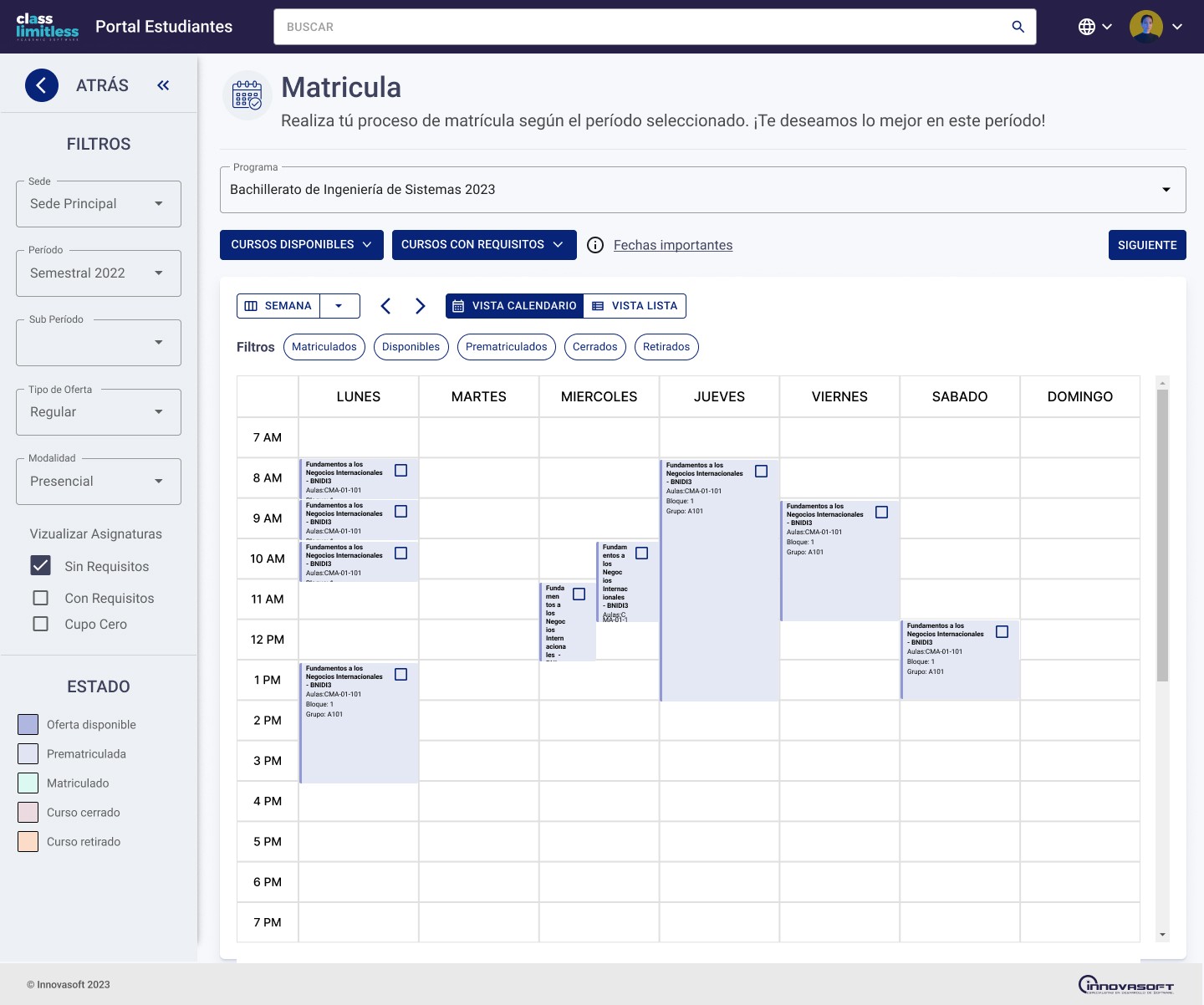
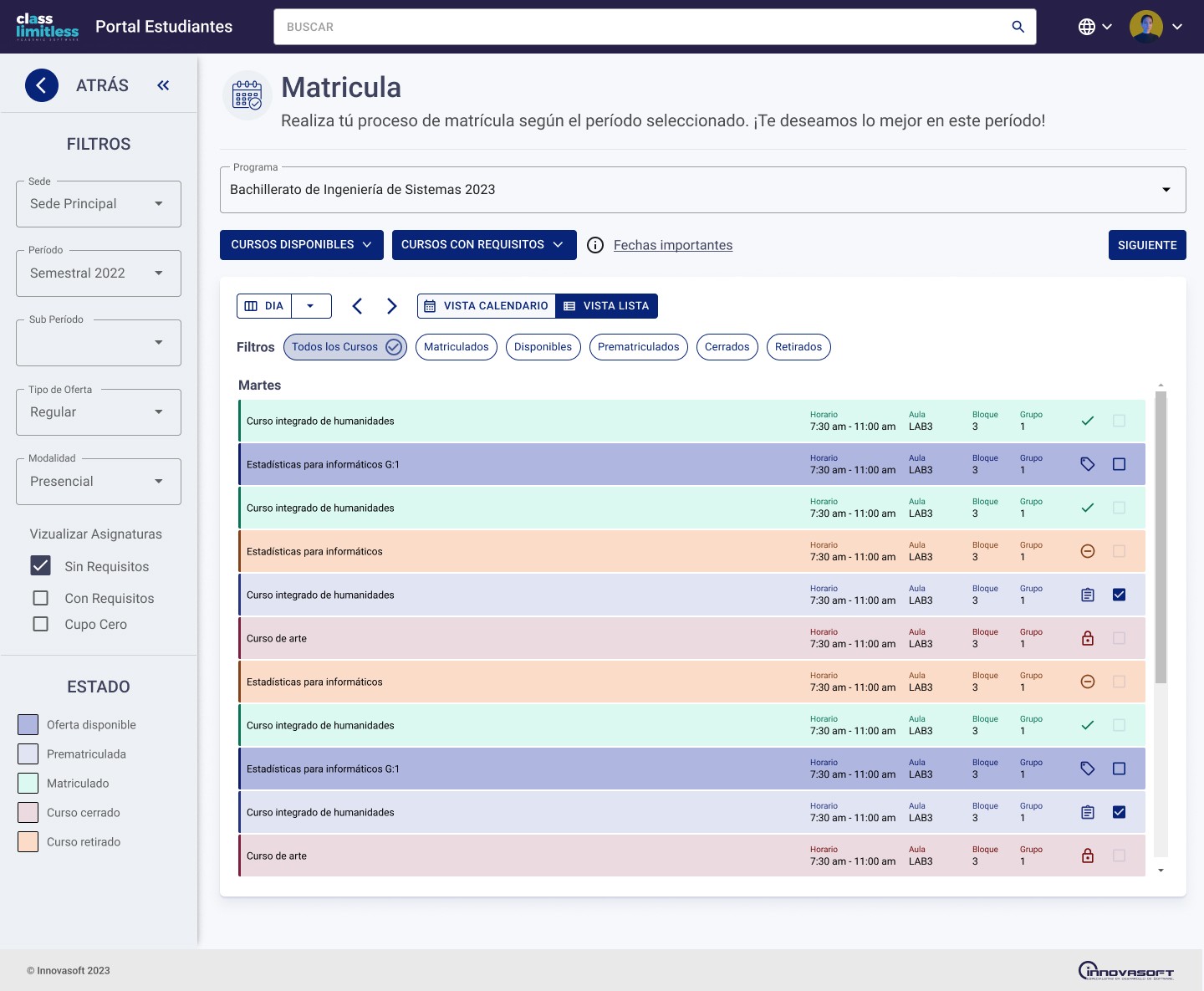
Design decision · Enrollment Module — Two Views
Enrollment is the most critical flow in the student portal — and the most complex. I designed two complementary views: a day-by-day list (to check availability for specific time slots) and a weekly calendar (to spot schedule conflicts before enrolling). The color-coded status system in the legend (available offering, pre-enrollment, enrolled, closed, withdrawn) lets students make decisions without opening each course individually. This is the most iterated screen in the portal.
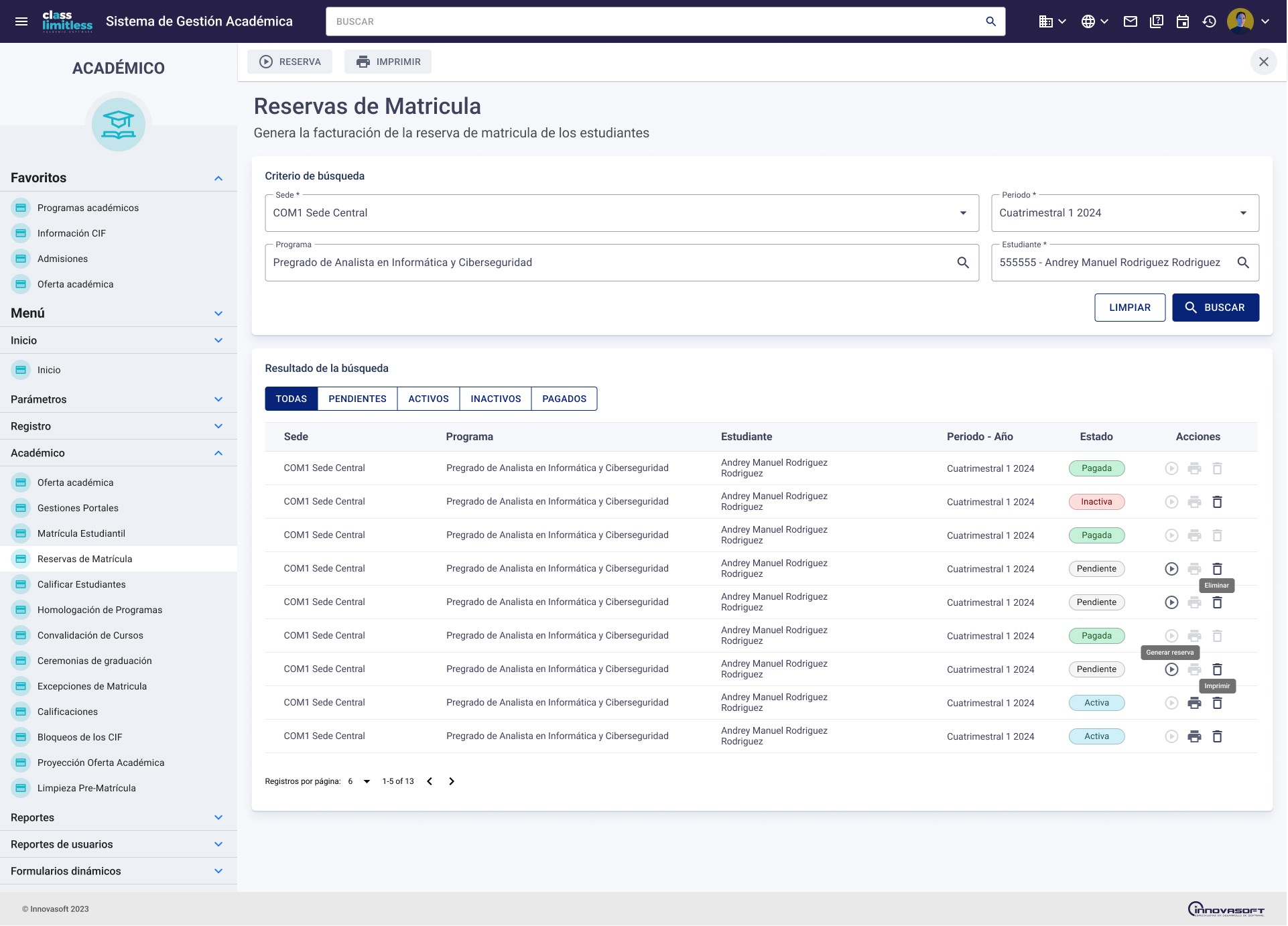
Design decision · Enrollment Reservations
The reservations screen combines advanced search + quick-filter tabs (All / Pending / Active / Inactive / Paid) + a table with differentiated visual states (Paid in green, Inactive in red, Pending in grey) + contextual row-level actions with tooltips. Every element was designed so the administrator can manage hundreds of reservations without losing context.
What This Project Taught Me That No Other Could
How to introduce UX where it doesn't exist
Knowing design isn't enough — you have to know how to sell it. At CLASS Limitless I learned to justify every decision in terms the engineering team understood: fewer user errors, less support burden, less code rework. The ability to translate UX into business and technical arguments is more valuable than any methodology.
Design within real implementation constraints
Working alongside engineers implementing Material Design in code gave me a framework understanding no course teaches. I know which components are costly to implement, which have customization limits, and how to design within those constraints without sacrificing the user experience.
Patience as a tool for cultural change
Three years of constructive feedback, justified suggestions, and increasingly documented deliverables built trust gradually. The team didn't change overnight — it changed iteration by iteration, as UX improvements demonstrated their value in the real product. That's design evangelism, and it's a skill you don't develop on short projects.
Deep knowledge of a complex product
Three years designing the same system gives me a level of context that no two-to-three month engagement can produce. I know every module, every flow, every business edge case. That accumulated knowledge is what allows design decisions to be made with judgment — not assumptions.
What This Project Demonstrates
I know how to operate as a designer under real conditions — not ideal ones. I can master a design framework (Material Design) by learning from the people implementing it, not just reading its documentation. I introduce UX judgment progressively when it isn't part of the team culture — through patience and reasoned argument, not imposition. Three years on the same product generates system knowledge that no short project can replace. And continuous improvement of a product already in production is as valuable as launching a new one.