Milena Cloud
Cloud HR Management Platform Design for Seresco — Iberian Peninsula's Leading Payroll Outsourcing Provider · 2024
8 months
Project duration
~150
Survey research participants
3
Designers on the team (1 UX + 2 UI)
Mercadona · Amazon ES
User company profile
My Role
UX Lead
UX Research
Wireframing and prototyping
I led every Design Thinking phase — research, definition, ideation, and information architecture. I directed a two-person UI design team that joined during the prototyping phase. Beyond design, I was responsible for structuring and documenting user stories and aligning the team through conceptual maps that brought order to a project with a high degree of initial disorganization. The lead stakeholder and the design team worked in close alignment; the real challenge was translating that shared vision to the development team.
The Problem
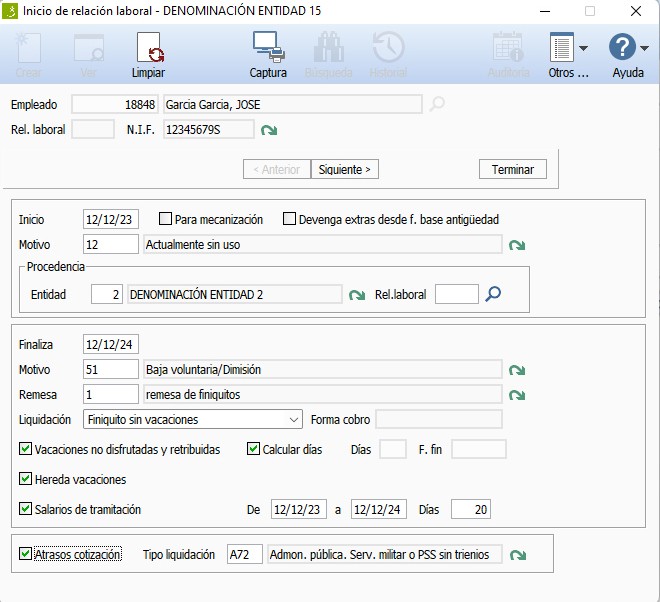
Seresco is the leading payroll outsourcing provider in the Iberian Peninsula. Their product, Milena Desktop, was used by HR departments at major companies including Mercadona and Amazon Spain. Despite being technically superior to competitors in functionality and process depth, the product had accumulated years of usability and user experience debt.
The goal was ambitious: retire the desktop product entirely, migrate everything to the cloud, and build a single unified Cloud system that consolidated all existing portals into one modern, accessible, and usable platform.
"Although Milena Desktop outperforms the competition in processes and functionality, it requires substantial usability improvements. The learning curve is steep, and processes are repetitive and complex."
Project Brief · Seresco
Research — What I Found
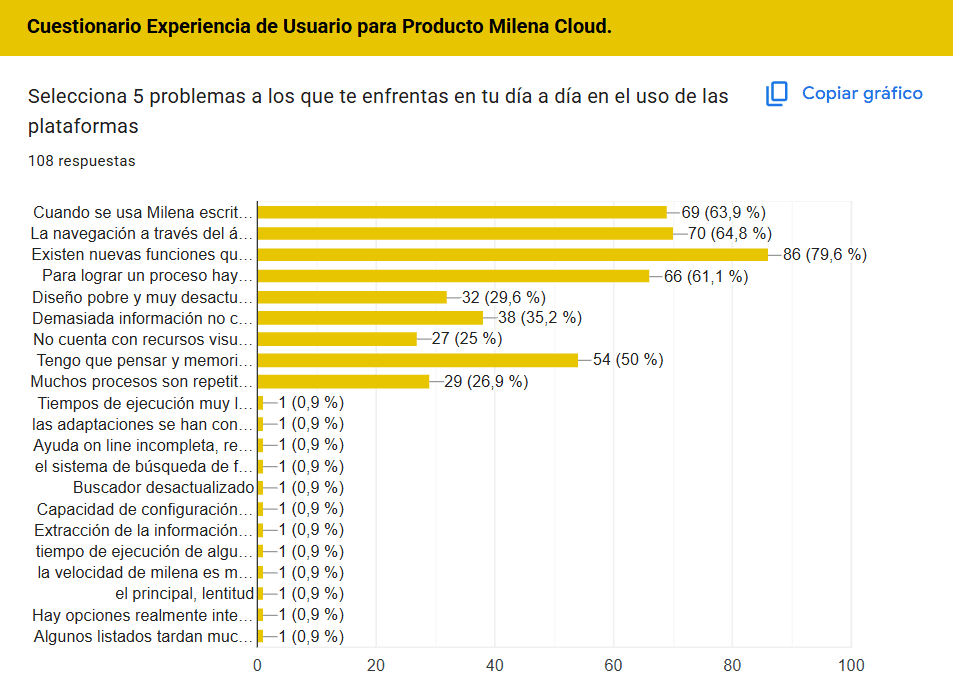
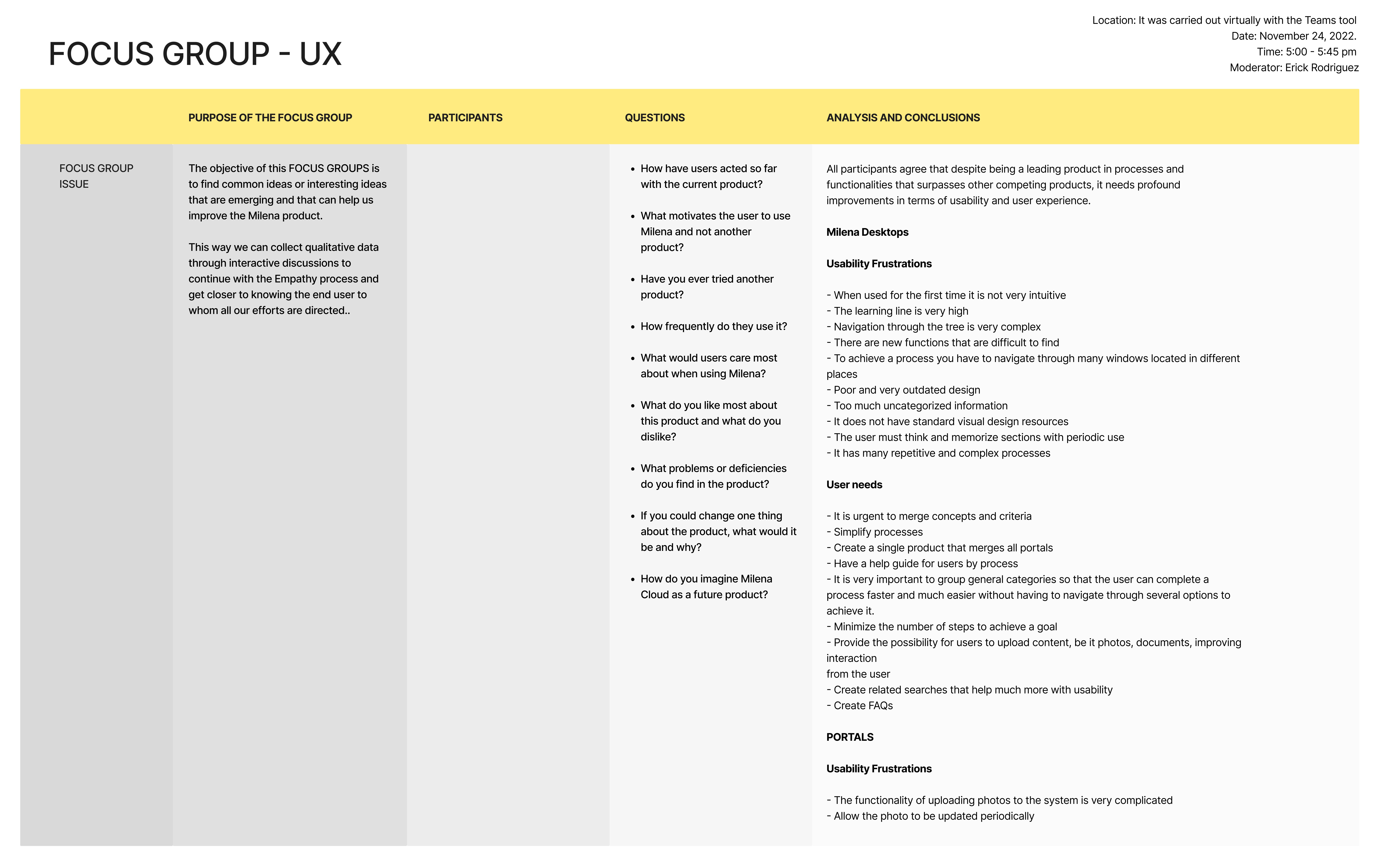
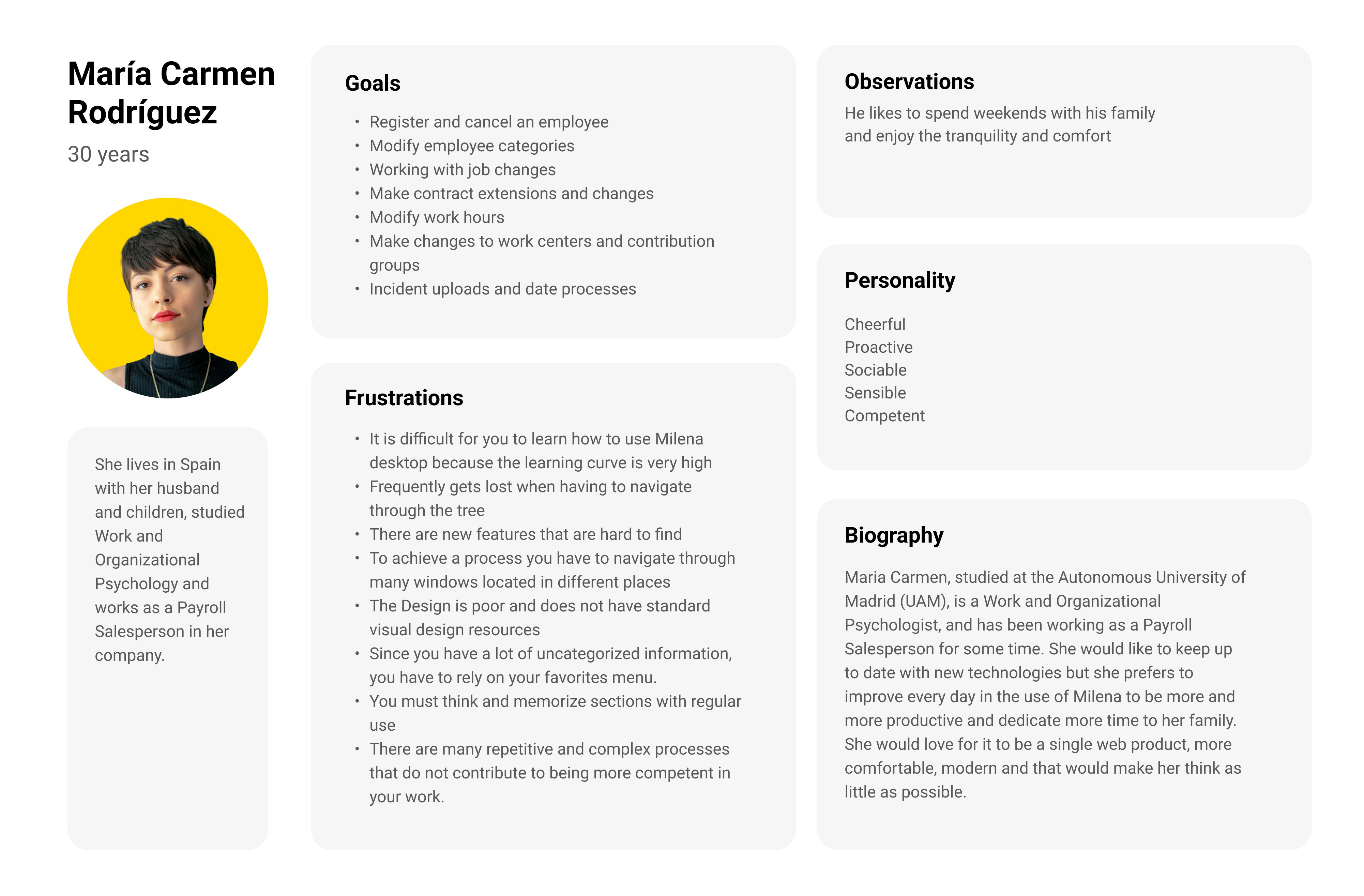
I conducted the most extensive research of any project in my portfolio: a survey of approximately 150 participants, a focus group with real users, competitive analysis, sector benchmarking, and contextual analysis. The findings were consistent and unambiguous.
Core frustrations · Milena Desktop
Not intuitive on first use
Extremely steep learning curve
Complex tree-based navigation
Processes require navigating multiple windows
Excessive uncategorized information
Users must memorize section locations
Detected needs · users
Unify all portals into one
Streamline processes to the minimum number of steps
Group categories to complete tasks quickly
In-process help guides and FAQs
Frictionless photo and document uploads
Related and contextual search
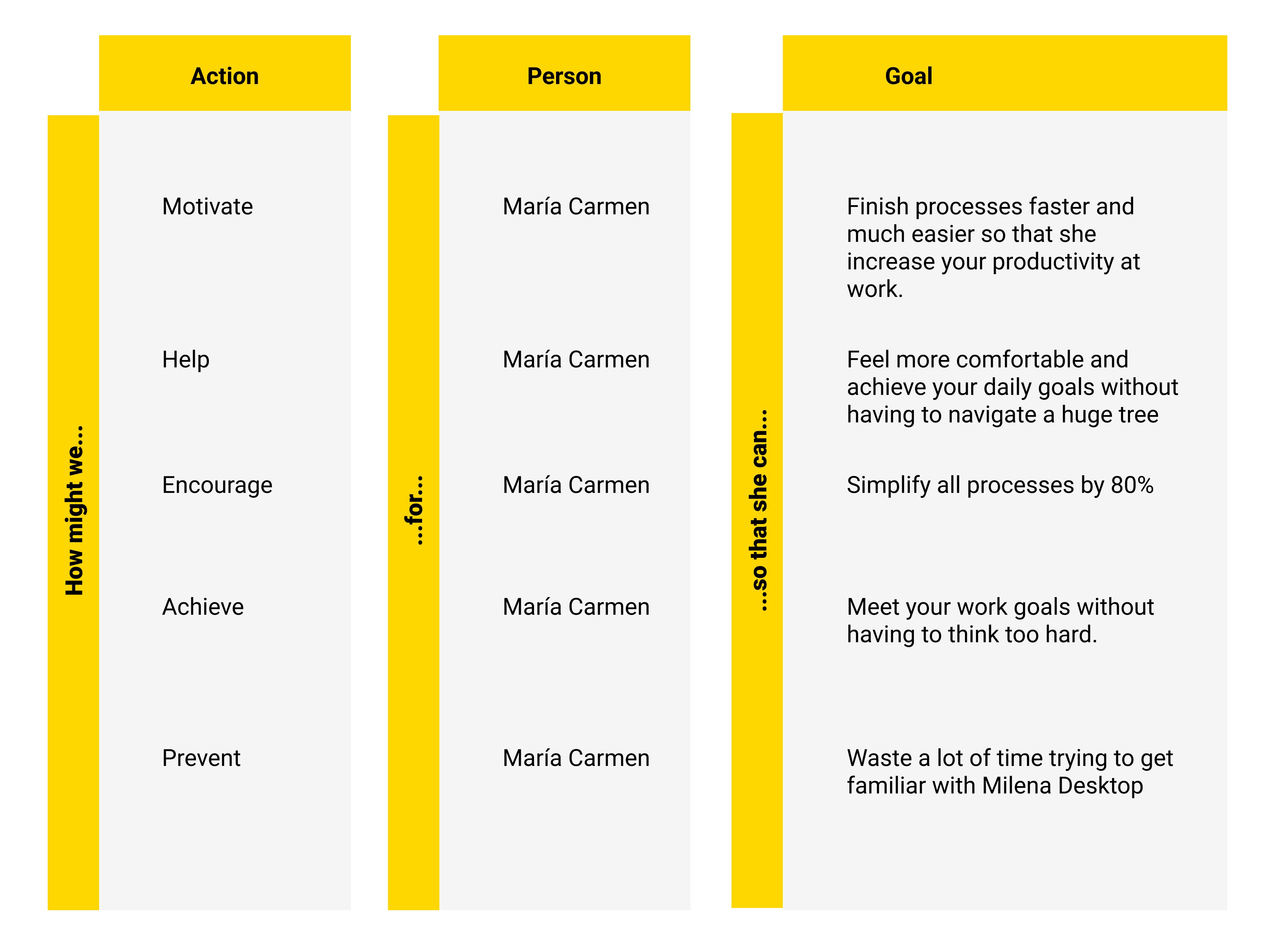
The central finding that shaped every design decision: 100% of participants agreed that Milena was technically superior to the competition — but unusable without formal training. The opportunity wasn't to add functionality. It was to make existing functionality accessible.
Design Process
Survey · 150 participants
Focus group
Brief
POV
HMW
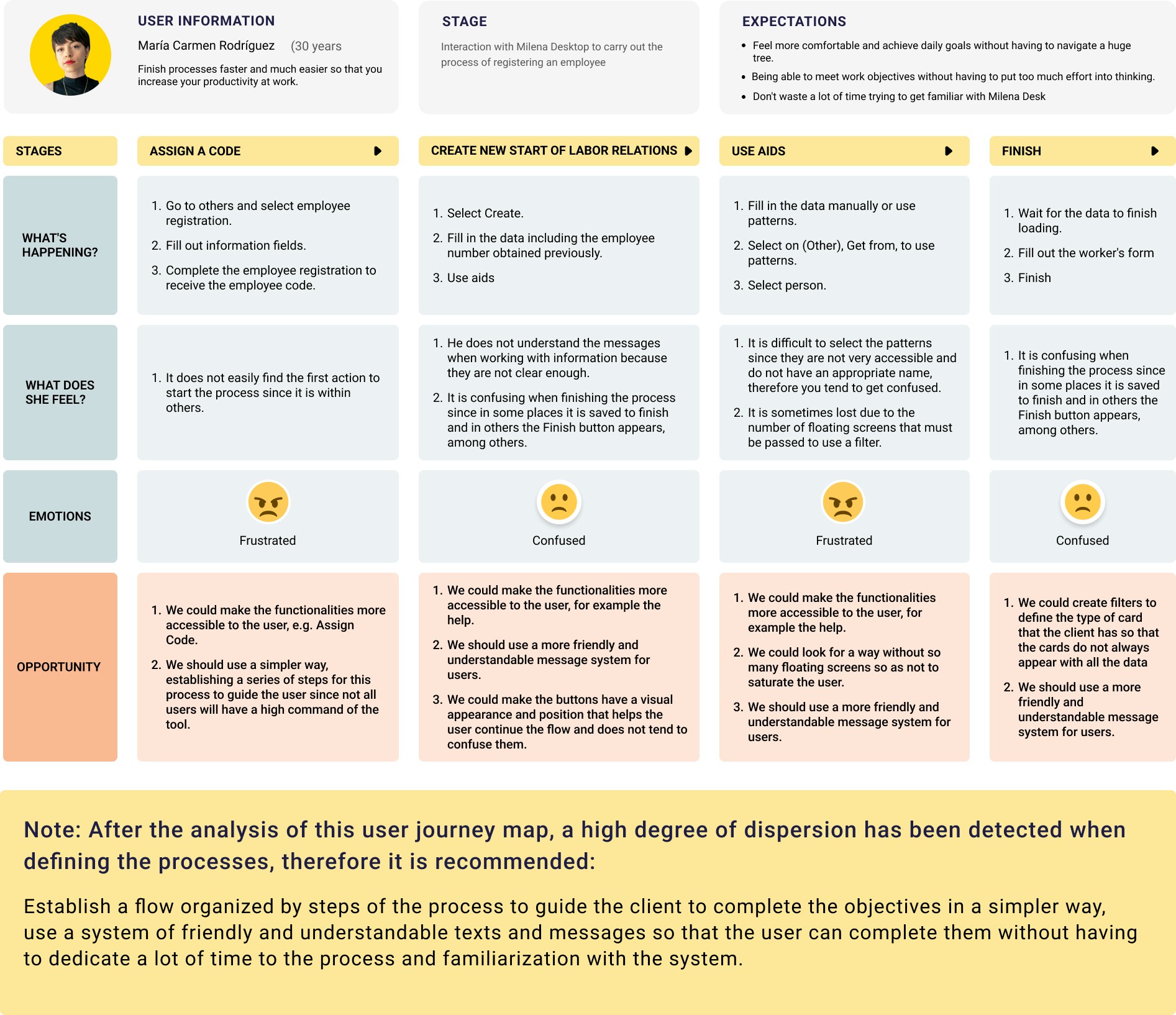
Journey map
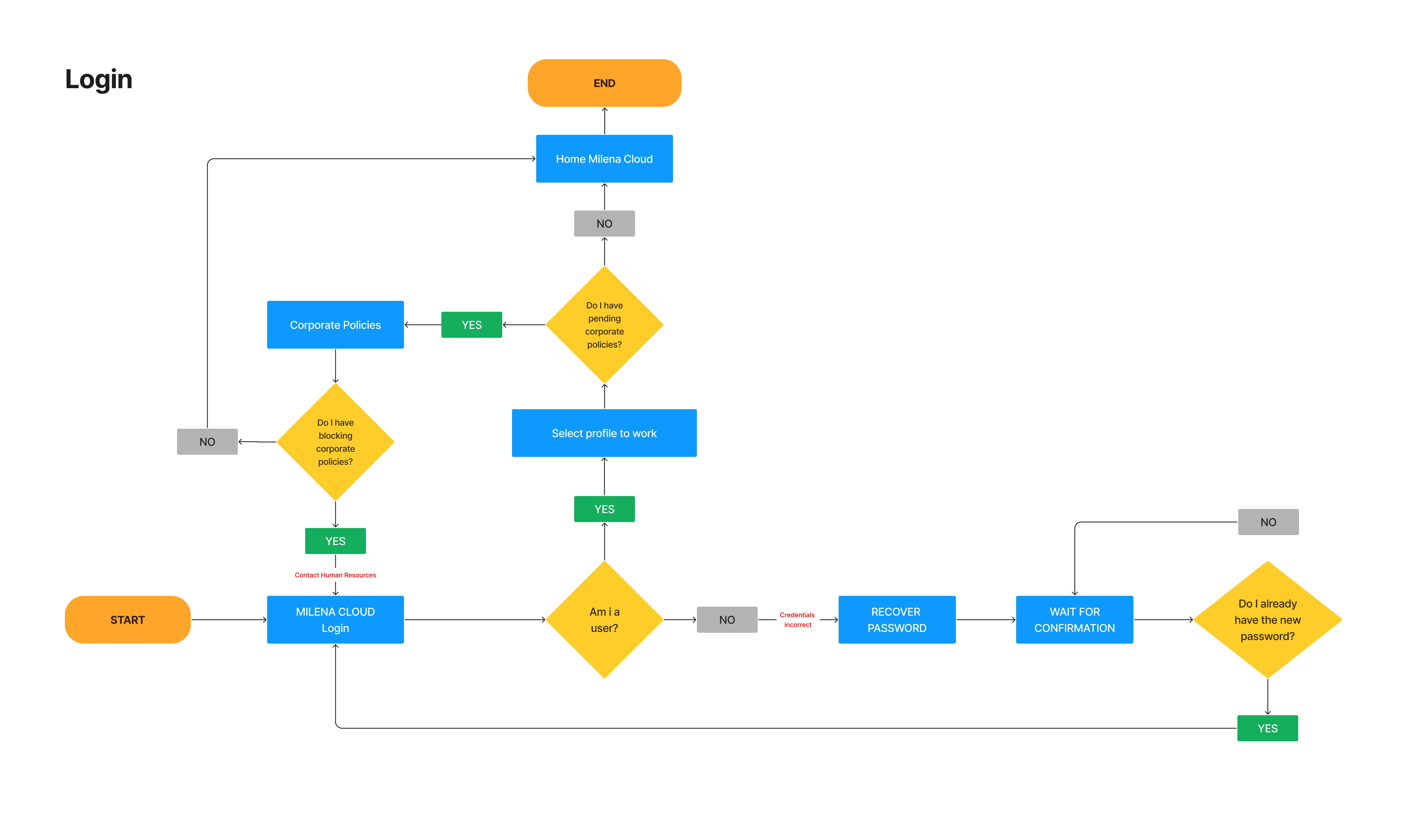
Structured ideation
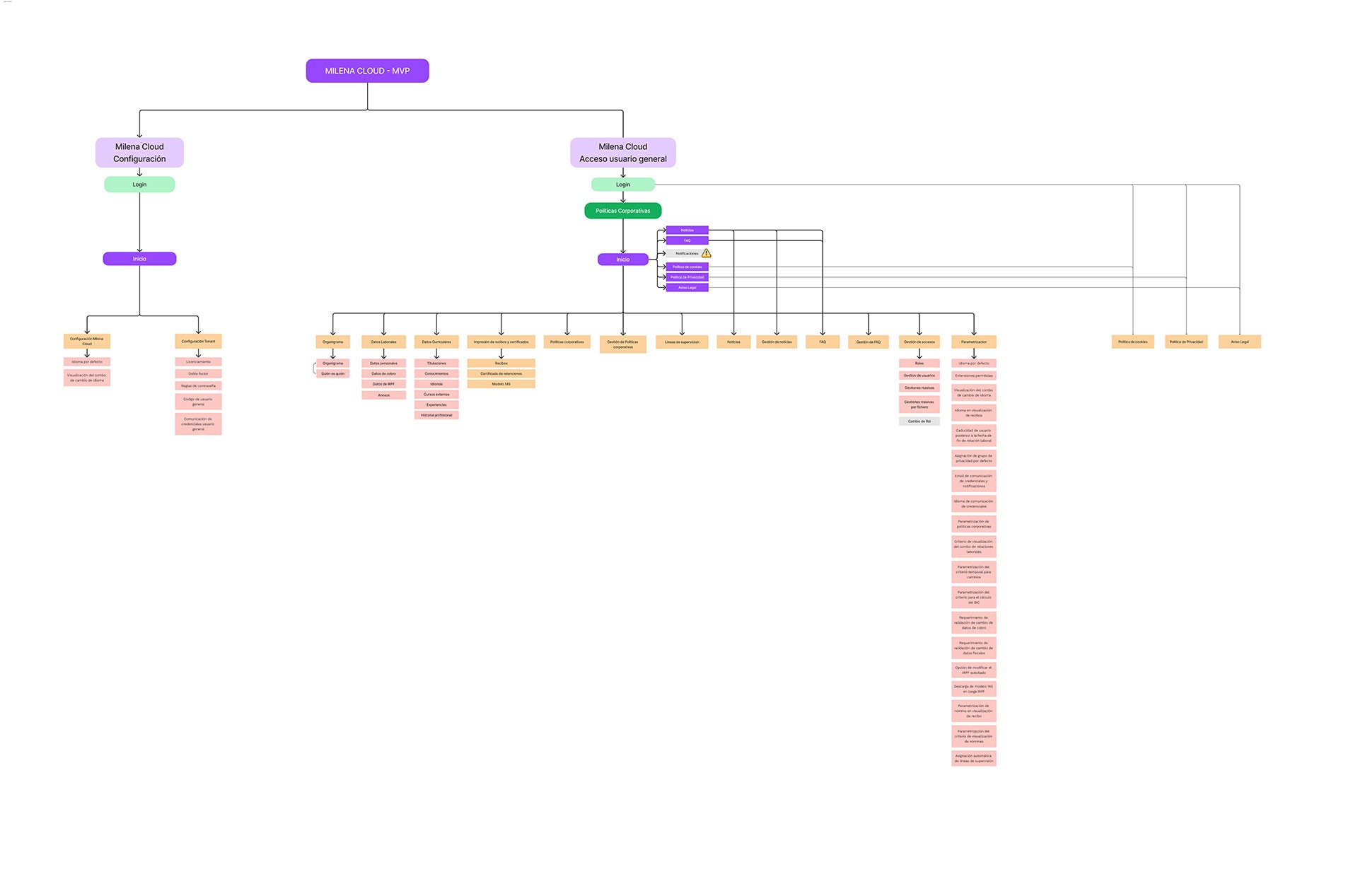
Information architecture
Conceptual map
Interactive prototype
Design System
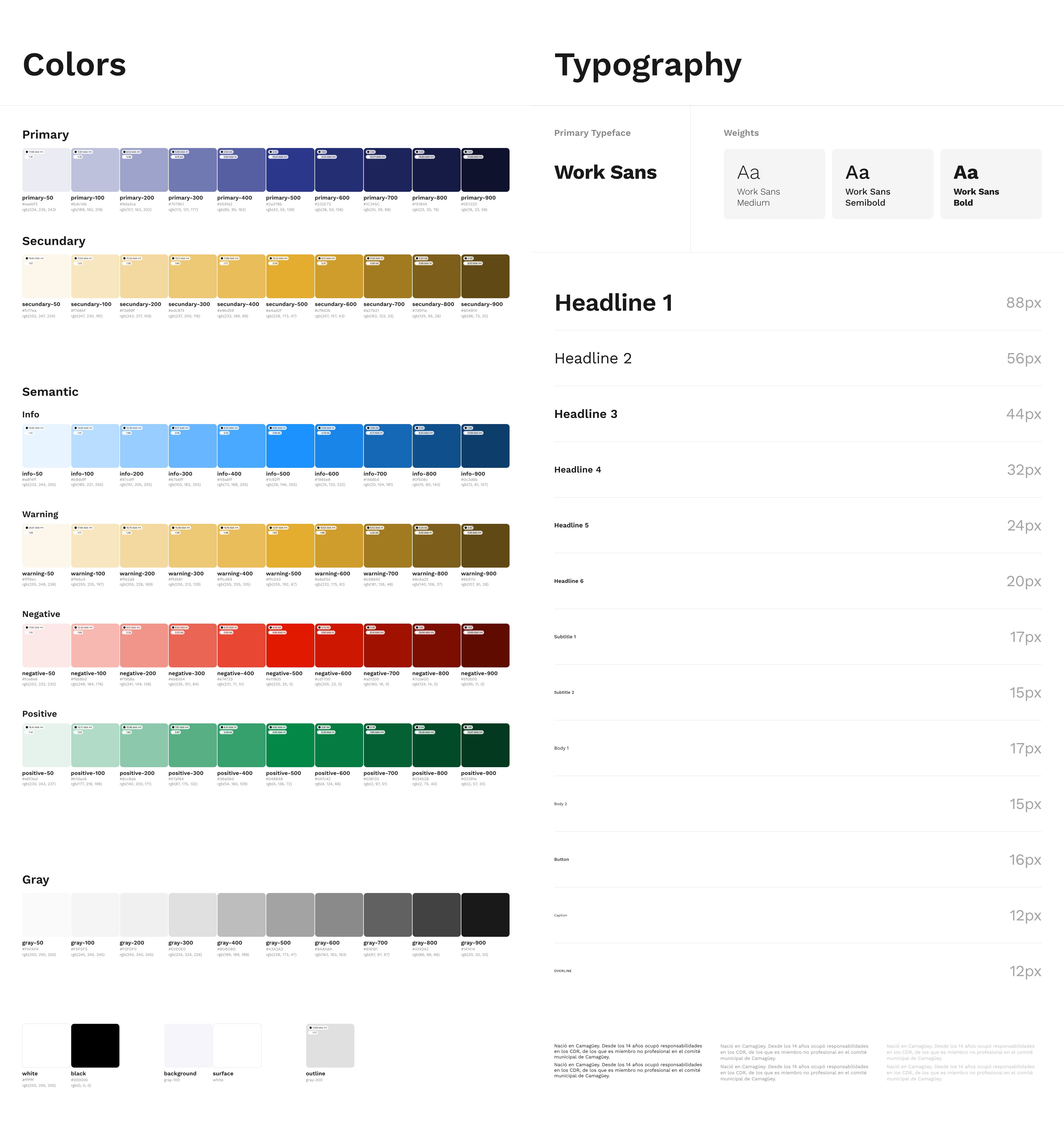
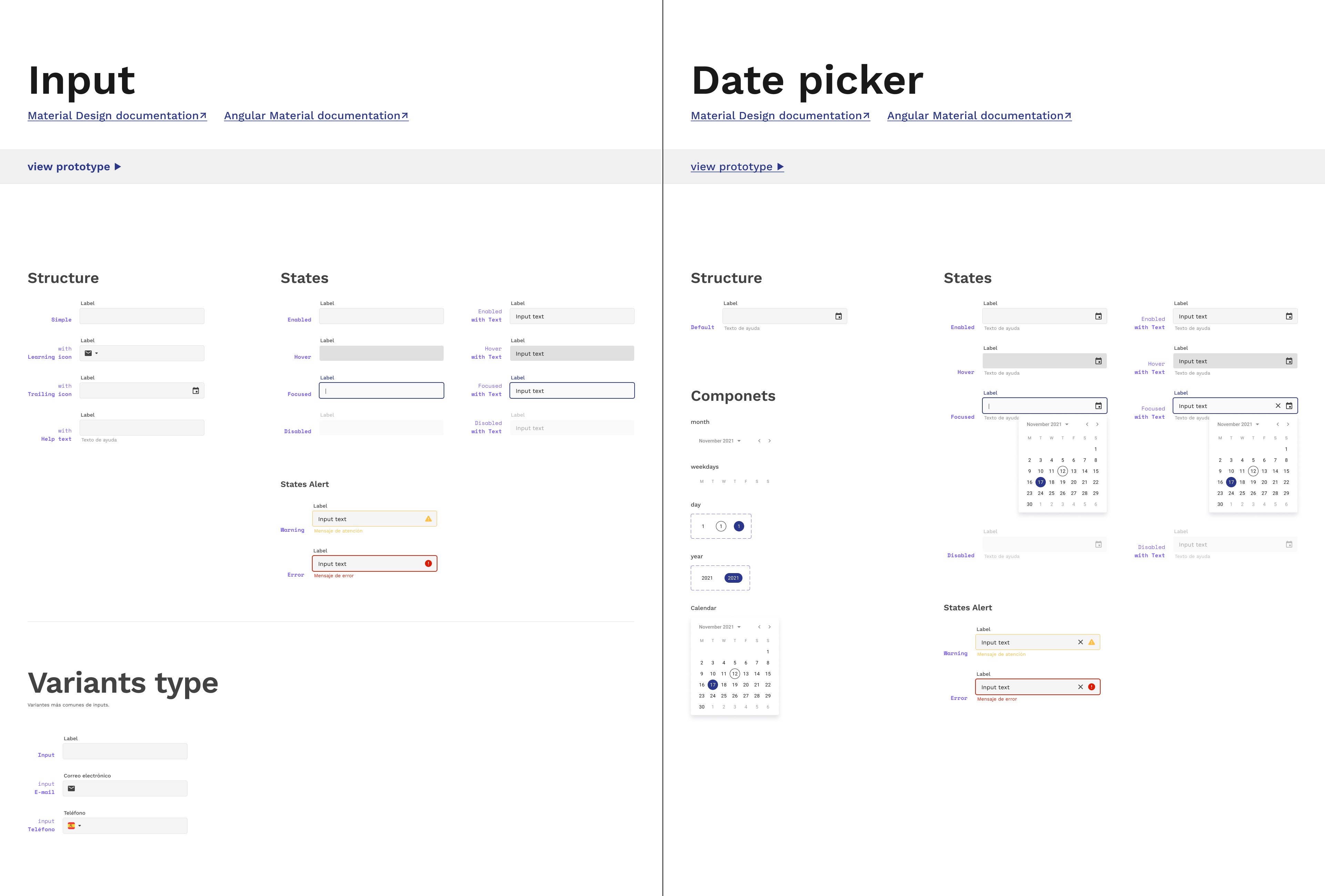
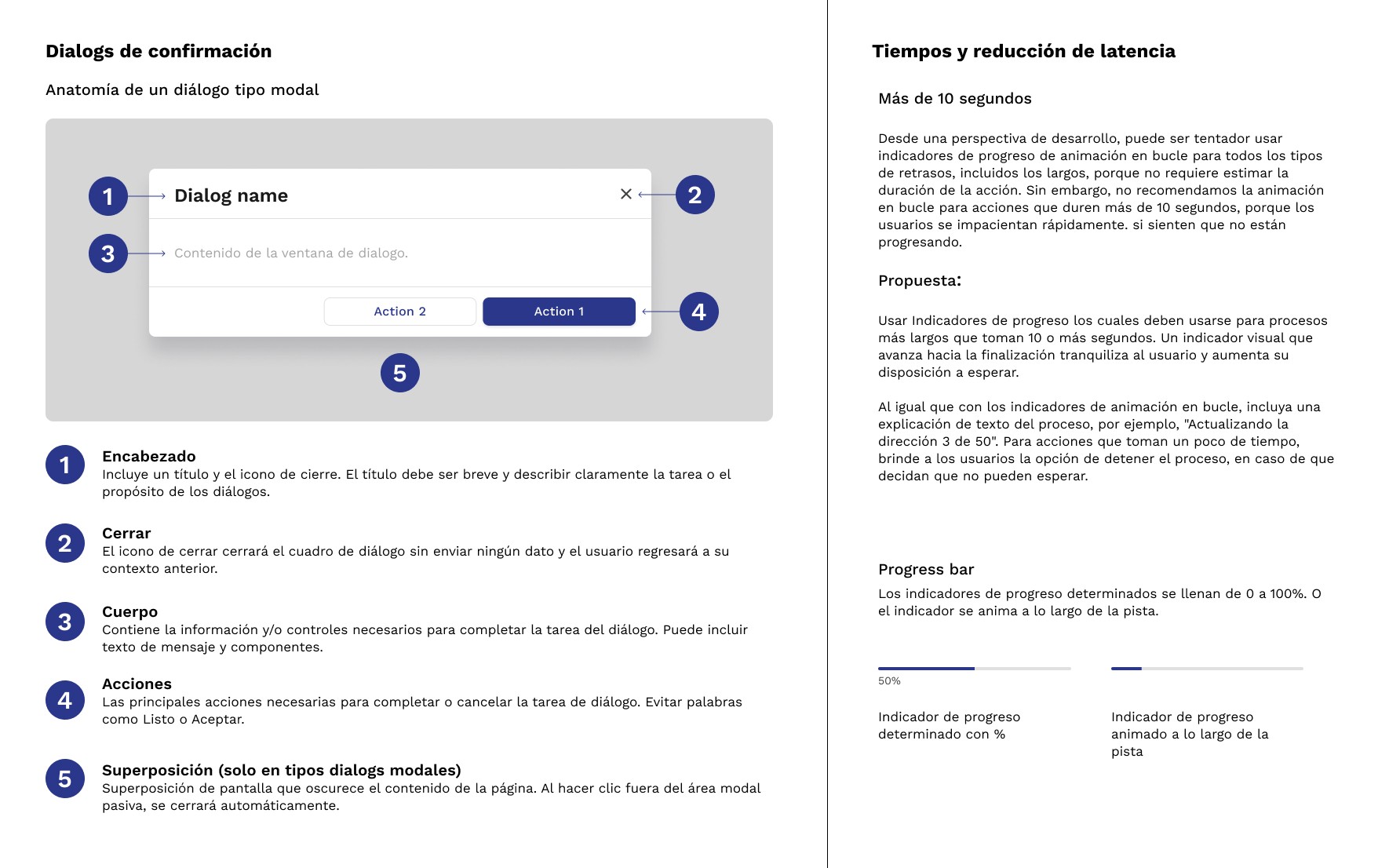
Style guide
Interactive prototype
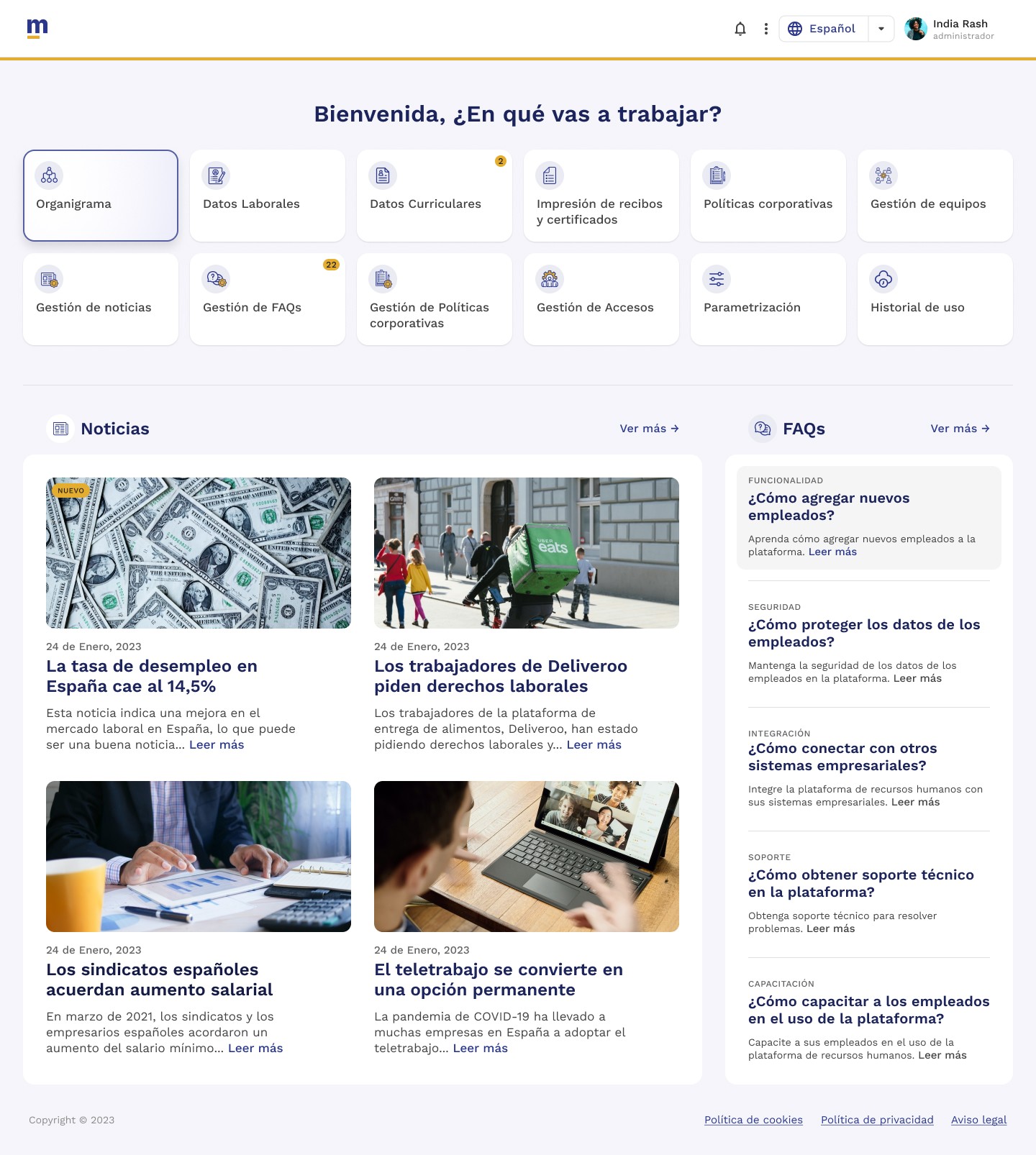
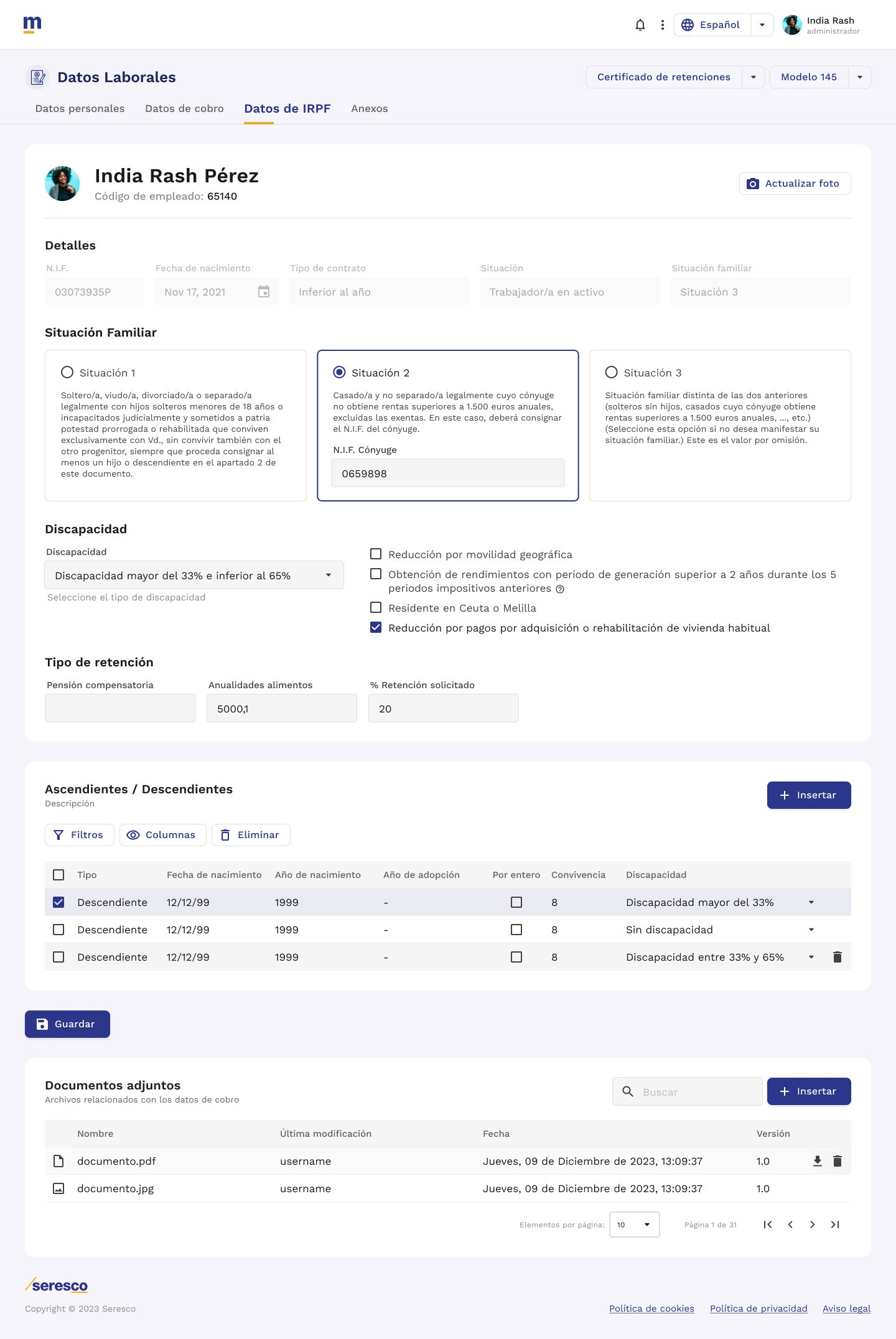
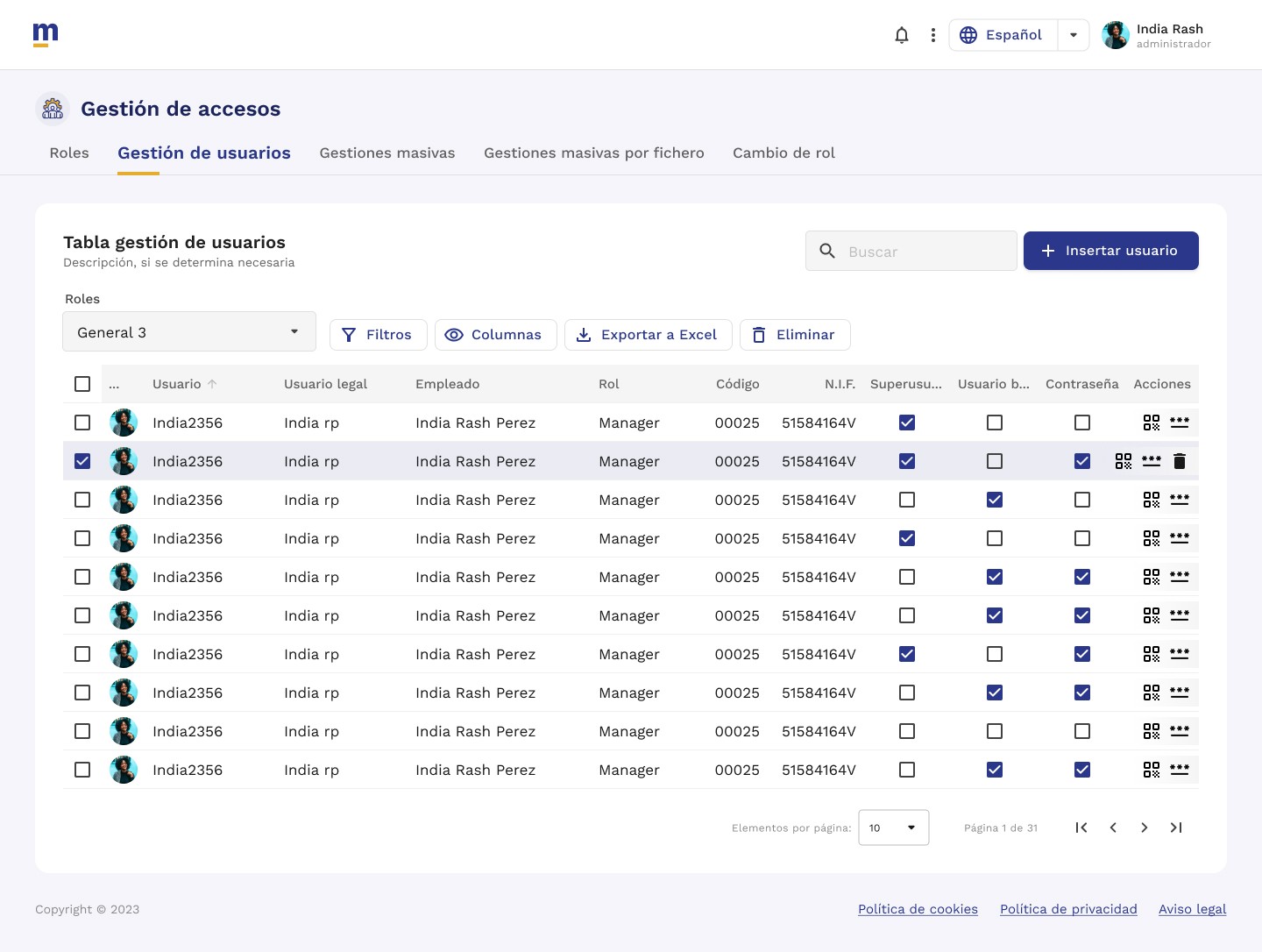
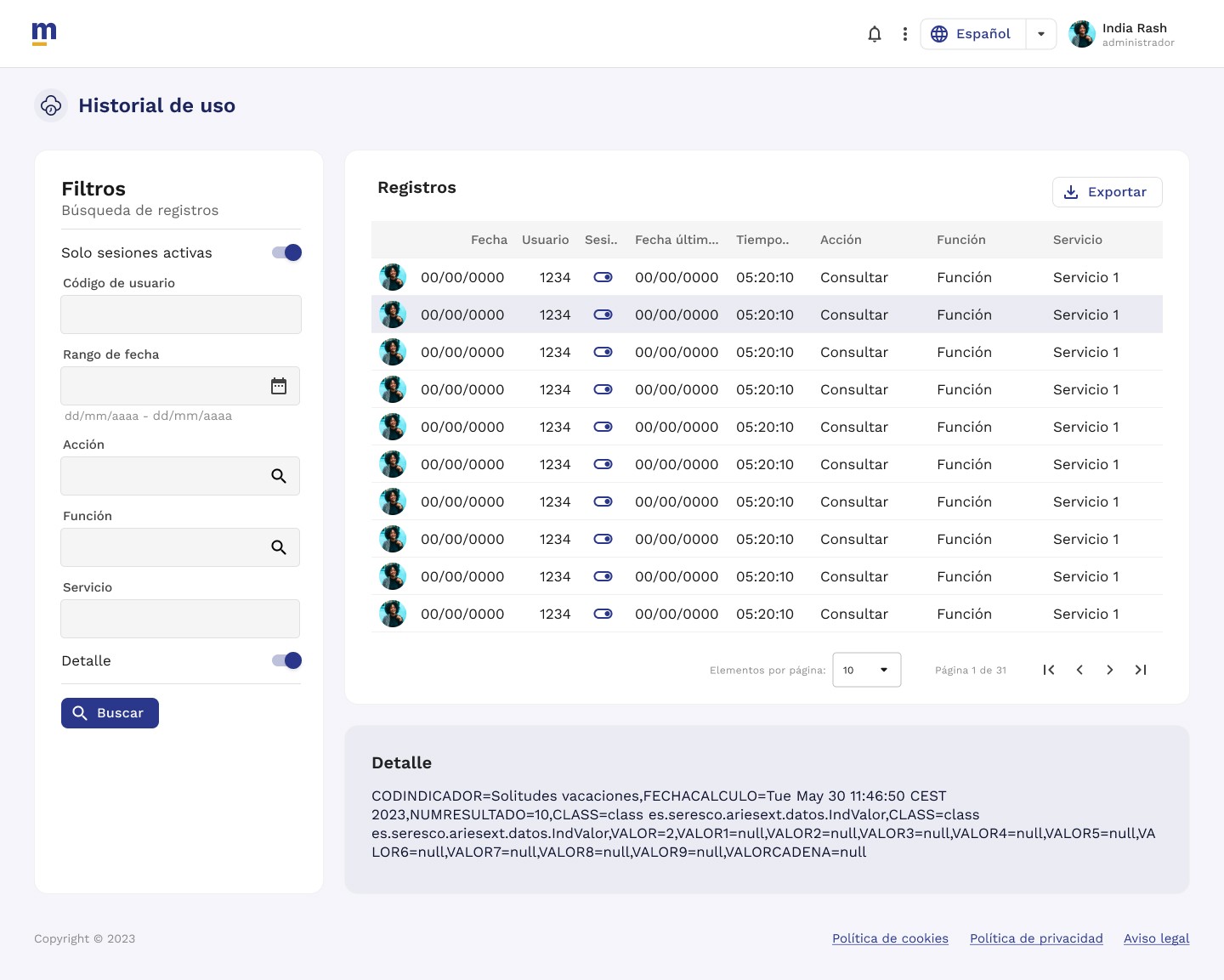
Key Findings That Drove Design Decisions
Finding 01 · Navigation
The navigation tree made it impossible to complete tasks.
To finish a single process, users had to navigate across multiple windows scattered throughout the system. There was no hierarchy, no logical grouping — everything sat at the same level.
Decision: I designed a new information architecture that groups functionality by user objective, not by the system's technical structure. One complete process, one section.
Finding 02 · Learning Curve
Users had to memorize the system just to use it.
No guides, no FAQs, no clear visual states. Users with years of experience still made errors because the system provided no orientation and no feedback.
Decision: I introduced contextual help patterns, per-process FAQs, and differentiated visual states across the Design System. Every component documents its behavior so users never have to guess.
Finding 03 · Portal Fragmentation
Multiple disconnected portals existed side by side.
Employees, candidates, and managers each accessed separate systems with separate interfaces. Uploading a profile photo required a different process in every portal.
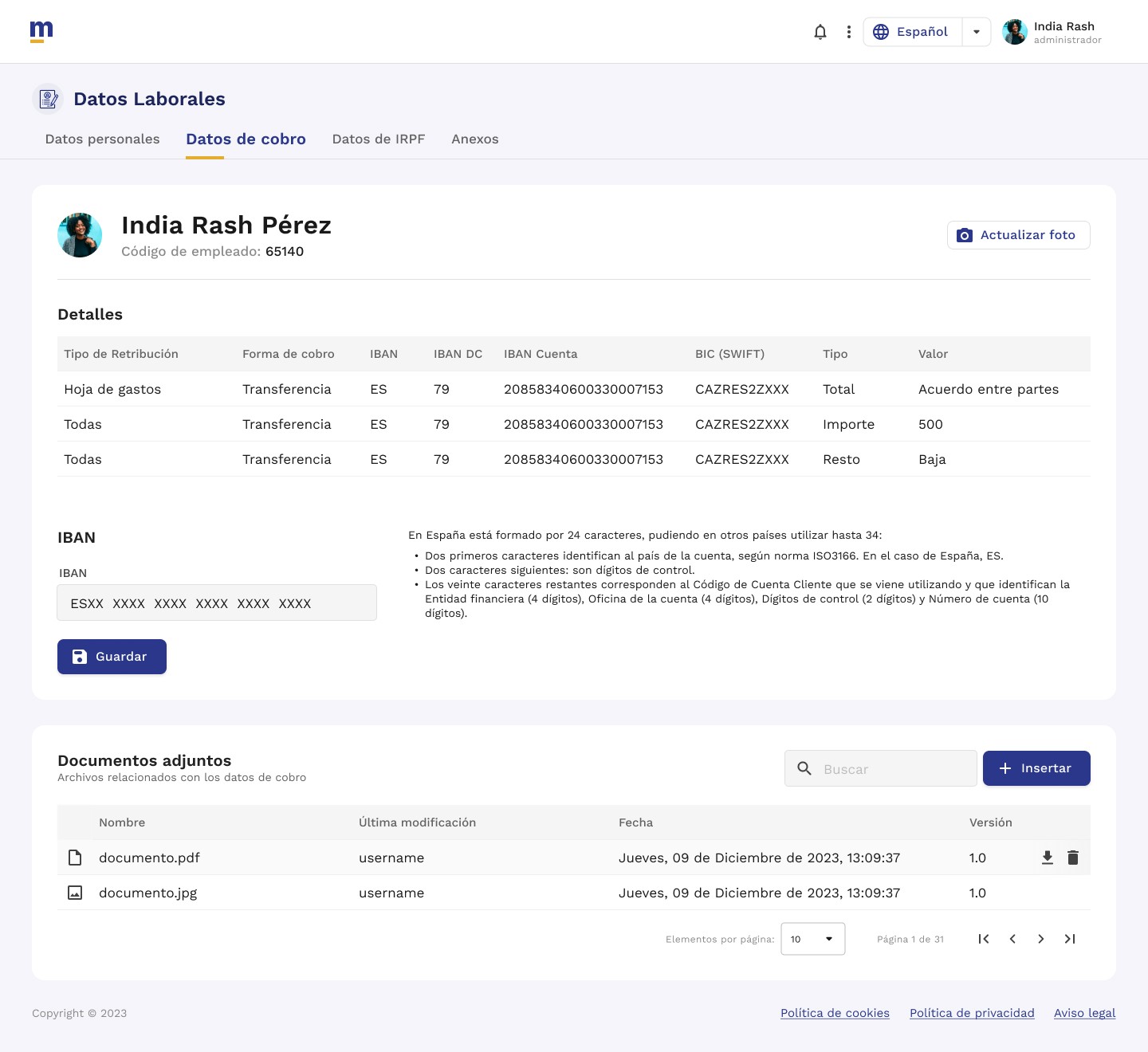
Decision: The Milena Cloud architecture unifies all portals into a single web environment with a consistent visual identity, shared navigation, and standardized common actions.
Before vs. After
Milena Desktop · Before
Outdated, overloaded desktop interface
Multiple disconnected portals
Complex tree-based navigation
No guides or contextual help
Extremely steep learning curve
Milena Cloud · After
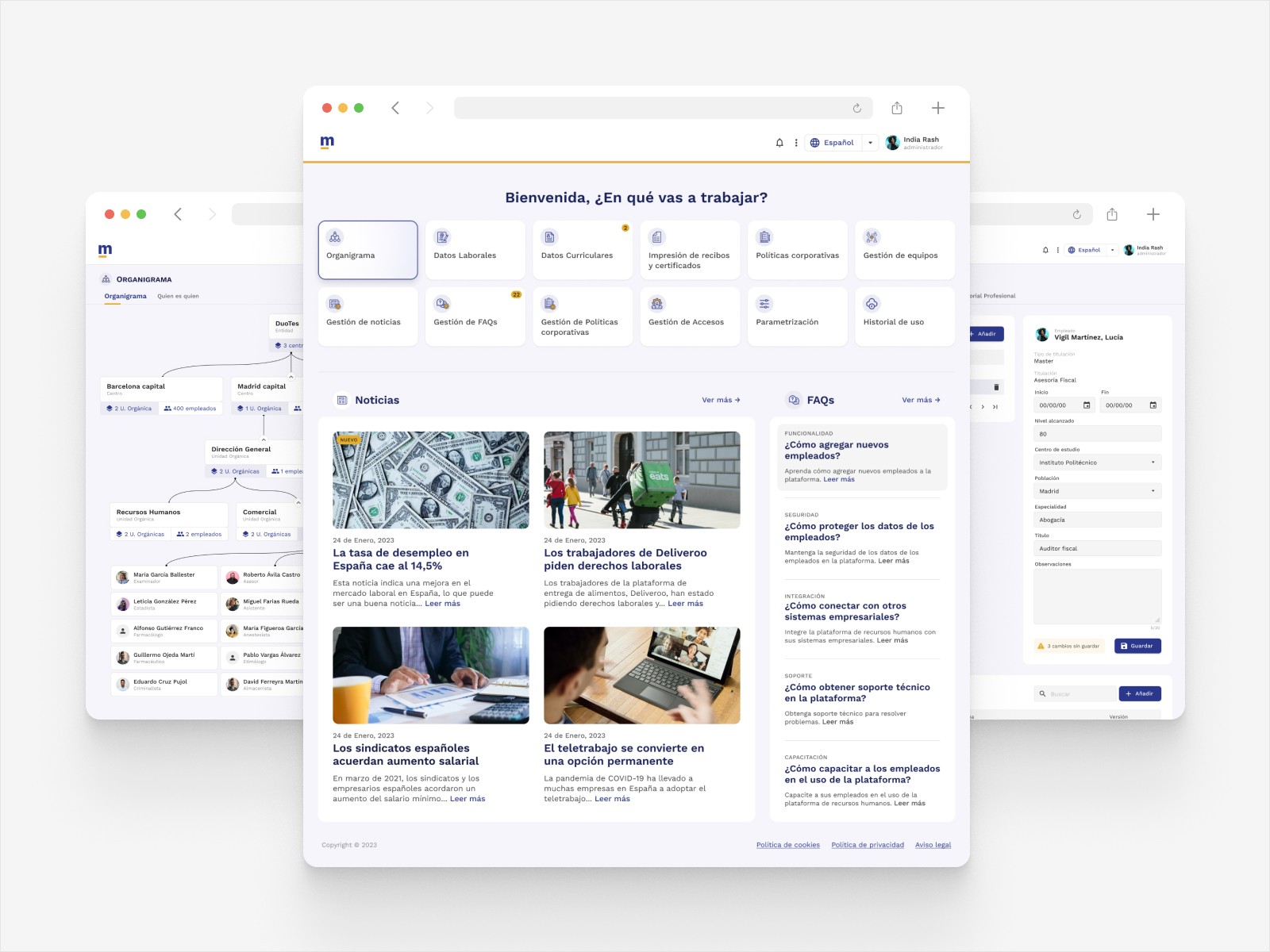
Unified, modern web platform
One system for all portals
Architecture organized by user objective
FAQs, contextual help, and clear visual states
Complete design system documented for development
The Project Was Cancelled — and That's Part of the Case Study
Professional context
The project was cancelled due to budget cuts during the implementation phase, before the development team could complete it. The design was fully delivered: documented research, defined architecture, complete Design System, and final UI screens.
This project put me face to face with one of the most common challenges in product teams: running a rigorous design process in an environment where the value of UX wasn't yet established. The development team expected finished screens from day one; the Design Thinking process created confusion instead of alignment.
What I took from it: UX delivery isn't just the design — it's the communication of the process. Today I would document each phase with greater clarity for development, establish alignment checkpoints earlier, and explicitly separate UX deliverables from UI deliverables from the project's first day.
What This Project Demonstrates
I know how to conduct user research at scale — 150 survey respondents and a focus group are data, not assumptions. I know how to lead a design team and maintain system coherence under pressure. And I know how to work on complex projects with multiple stakeholders, high ambiguity, and real business constraints — including the ones that never make it to launch.